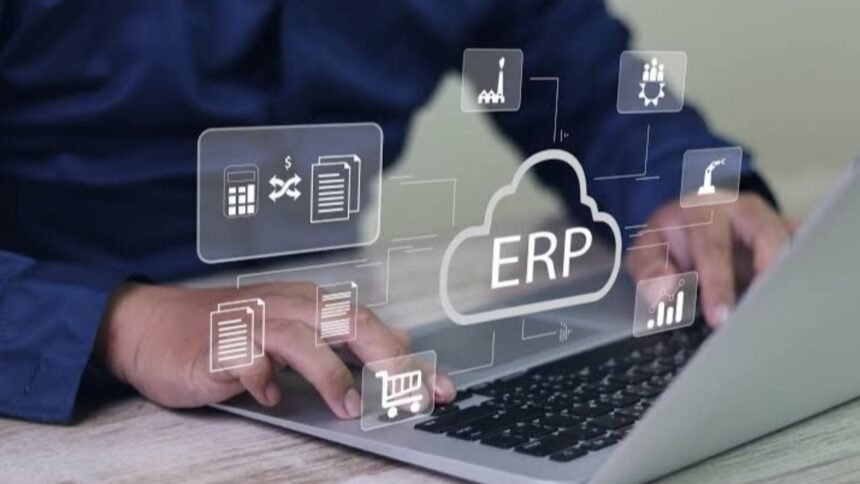
ERP business software connects the core functions of an organization through integrated applications and shared data. Instead of keeping finance, inventory, purchasing, sales, human resources, and operations in separate systems, an ERP platform brings these processes together so teams can work from consistent information. Microsoft describes ERP as business management software that connects functions such as finance, supply chain, manufacturing, HR, procurement, and project management.
For growing companies, the appeal is straightforward: fewer disconnected processes, better visibility into operations, and less reliance on manually moving information between systems. Modern platforms can also provide automation, analytics, cloud access, integrations, and increasingly AI-supported capabilities.
What Is ERP Business Software?
ERP business software is a centralized business management system designed to coordinate multiple operational functions. ERP stands for enterprise resource planning, although modern ERP platforms are not limited to large enterprises. Small and midsize companies can also use modular ERP systems to manage increasingly complex operations.
An ERP platform typically consists of connected modules that share a common database. A finance module, for example, can work alongside inventory, procurement, sales, HR, and supply-chain functions. This shared structure reduces the need for departments to maintain duplicate records and helps create a consistent view of business activity.
The software can be deployed on company infrastructure or delivered through the cloud. Cloud ERP is accessed over the internet and is generally designed to provide scalable access to business applications without requiring the organization to operate the underlying infrastructure itself.
Core Features to Look For
The exact features vary by vendor and industry, but a capable ERP system usually covers several fundamental areas.
| ERP capability | What it helps manage | Why it matters |
|---|---|---|
| Financial management | Accounting, payables, receivables, reporting | Creates clearer financial visibility |
| Inventory management | Stock levels, movements, replenishment | Helps control inventory and reduce manual tracking |
| Procurement | Purchasing, suppliers, approvals | Standardizes purchasing workflows |
| Sales and order management | Orders, pricing, fulfillment | Connects sales activity with operations |
| Human resources | Employee records, workforce processes | Centralizes workforce information |
| Supply chain | Planning, logistics, suppliers | Improves coordination across the supply network |
| Analytics and reporting | Dashboards, performance data, reports | Supports faster, data-based decisions |
Modern ERP systems increasingly combine integration, automation, analytics, governance, and scalability. Microsoft identifies centralized data, automated workflows, real-time analytics, modular architecture, and mobile access among important ERP capabilities.
Finance and Accounting
Financial management is often a core ERP function. Depending on the system, businesses may manage general ledger activities, accounts payable and receivable, expenses, financial reporting, and related processes from the same environment.
Connecting finance with sales, purchasing, and inventory can also reduce the need to reconcile information manually across separate applications.
Inventory and Supply Chain
For businesses that sell, manufacture, distribute, or store physical products, inventory visibility can be particularly important. ERP systems can connect purchasing, stock records, orders, warehouses, and supply-chain processes so that departments have access to related information.
This integration can help organizations identify operational issues earlier rather than waiting for information to be manually consolidated.
Automation and Analytics
Automation is another major reason companies adopt ERP. Routine processes such as approvals, invoicing, reporting, inventory updates, and task assignments can often be configured within an ERP environment.
Analytics adds another layer by turning operational data into dashboards and reports. Newer platforms are also incorporating AI to assist with forecasting, recommendations, workflow automation, and decision support. SAP and Microsoft both describe AI and real-time insights as growing parts of modern ERP platforms.
💡 Pro Tip: Before choosing an ERP platform, map your most time-consuming manual workflows first. A system that automates a genuinely costly process can deliver more practical value than one with dozens of features your team will rarely use.
What Are the Benefits of ERP Software?
The main advantage of ERP business software is integration. Instead of asking employees to gather information from multiple disconnected tools, an ERP system can connect related processes and data.
Better Data Visibility
A centralized database gives authorized users access to consistent operational information. This can make reporting easier and help managers understand what is happening across departments without waiting for separate spreadsheets or manual updates.
More Efficient Workflows
ERP automation can reduce repetitive administrative work. For example, information entered during one business process may become available to another connected process without being manually re-entered.
Stronger Cross-Department Coordination
Sales, purchasing, finance, inventory, and operations often depend on one another. ERP business software can connect these workflows so departments have greater visibility into information that affects their responsibilities.
Easier Business Scaling
A modular ERP architecture can allow businesses to add capabilities as requirements change. SAP notes that ERP modules can be selected and expanded according to organizational needs, while cloud systems can provide scalability as companies grow.
Potential Challenges to Consider
ERP implementation is not simply a matter of installing software. Businesses must consider data migration, integrations, employee training, workflow design, security, customization, and ongoing administration.
A poorly defined implementation can create unnecessary complexity. Excessive customization may also make upgrades or future changes more difficult. Before selecting a platform, organizations should document existing processes and determine which ones genuinely need improvement.
Cost is another consideration. The total investment may include licenses or subscriptions, implementation services, integrations, training, data migration, support, and internal staff time. Comparing only the software subscription price can therefore produce an incomplete picture.
How to Choose the Right ERP System
Start with business requirements rather than vendor features. Identify the departments that need integration, the processes causing the greatest operational friction, and the reports managers actually need.
Consider these factors:
- Business size and complexity: Choose a system that matches current requirements without creating unnecessary overhead.
- Industry requirements: Manufacturing, retail, professional services, distribution, and other sectors can have different workflows.
- Integration: Check whether the ERP can connect with existing CRM, payroll, e-commerce, banking, or specialized applications.
- Deployment: Compare cloud and on-premises requirements based on your IT resources and operational needs.
- Usability: Employees need to understand and consistently use the system.
- Scalability: Consider future locations, users, products, entities, and transaction volumes.
- Security and permissions: Review access controls, data protection, audit capabilities, and compliance requirements.
The right ERP is therefore not necessarily the platform with the longest feature list. It is the one that fits the organization’s processes, data requirements, budget, users, and growth plans.
📌 Key Takeaway:
ERP business software is most valuable when it connects important processes instead of simply replacing one isolated application. Evaluate the system around real workflows, data quality, integrations, usability, and long-term business requirements.
Frequently Asked Questions
What does ERP stand for?
ERP stands for enterprise resource planning. It refers to integrated software used to manage and connect core business processes such as finance, procurement, inventory, supply chain, HR, sales, and operations. Modern ERP systems can also include analytics, automation, cloud capabilities, and AI-supported tools.
Is ERP software only for large companies?
No. ERP platforms are available for organizations of different sizes. Small and midsize businesses may use ERP to connect accounting, inventory, purchasing, sales, and other functions as operations become more complex. The appropriate system depends on the company’s processes, budget, users, and integration requirements.
What is the difference between ERP and CRM?
ERP primarily manages internal operational and financial processes, while CRM focuses on customer relationships, sales, marketing, and service interactions. The two systems can be integrated so information such as customers, orders, billing, inventory, and service activity can move between business functions.
Is cloud ERP better than on-premises ERP?
They address different organizational requirements. Cloud ERP is delivered through the internet and can reduce the need for a company to maintain the underlying infrastructure itself. On-premises deployment may provide organizations with greater control over their infrastructure. The right choice depends on security, IT resources, compliance, cost, customization, and operational needs.
How long does ERP implementation take?
There is no universal implementation timeline. Complexity, data quality, integrations, customization, number of users, and rollout strategy can all affect the schedule. Microsoft notes that ERP implementation timelines vary according to factors such as business complexity, data readiness, integrations, customization, and implementation approach.
Conclusion
ERP business software can give organizations a connected foundation for managing finance, inventory, procurement, sales, HR, supply chains, and other core operations. Its value comes less from having every possible feature and more from connecting the processes that employees depend on every day.
Businesses considering ERP should begin by identifying operational problems, documenting essential workflows, and defining measurable requirements. From there, they can compare deployment models, integrations, usability, security, scalability, and total implementation costs. A well-matched ERP system can provide the shared data and structured workflows needed to operate with greater visibility as the business evolves.